Enforce downscoping in token exchange for agent-to-agent calls
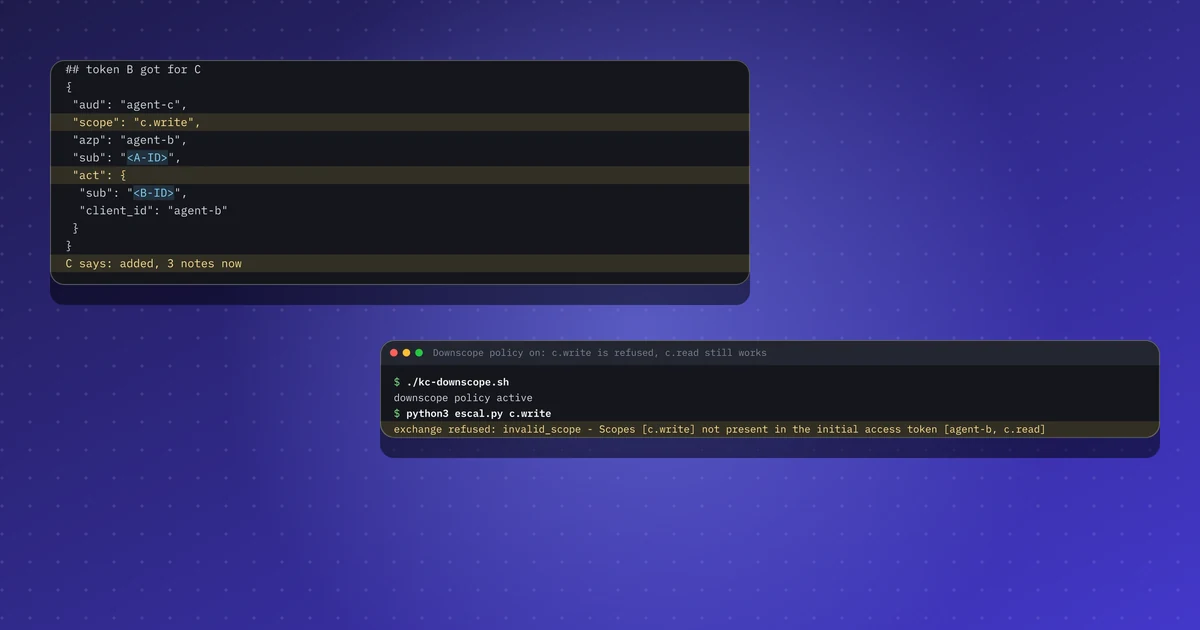
A Keycloak lab for A2A agents: the token B gets for C follows B's own scopes, not A's, unless you enforce downscoping. Stock run, control run and the fix.
Send a request with the auth method you need, including OAuth grants and an optional DPoP proof. The call goes from your browser to the API, not through this site.
Requests leave your browser for the API you enter.
When you click Send or Get token, your browser calls that address directly. The request does not go through iamops.dev, and this site never sees the URL, the headers or the body.
Use test or sandbox credentials only. Never paste production secrets, passwords or live tokens.
Tokens and secrets stay in this tab's memory. If you opt in, the page can remember the configuration without the secrets.
Only test APIs you own or have permission to test.
This tool is provided as is, with no warranty.
Runs in your browser. Nothing you paste is sent anywhere. Don't paste production private keys.
Use a test account and throwaway keys. Do not paste production secrets, session cookies or real users' tokens.
The API URL and the credentials or token for the auth method you pick: Basic, Bearer, an API key, or OAuth settings such as issuer, client id, and for some grants a client secret or a refresh token. You can also paste a curl command, a HAR entry, or an OpenAPI or Postman definition to fill the form. Use test tenants and test secrets only.
Paste a curl command, a HAR, an OpenAPI or Swagger document, or a Postman collection. Parsing stays in this browser. Secrets stay in memory and are not stored.
Builds an ES256 key in memory and adds a DPoP header on the token call and on Send.
Stores method, URL, header names, endpoints and the client id on this device. Tokens, passwords and secrets are not stored.
Updates as you type. The Redact secrets in copies option applies here and to Copy.
Samples are made with throwaway keys and example.test names. They mean nothing outside this page.
The API URL and the credentials or token for the auth method you pick: Basic, Bearer, an API key, or OAuth settings such as issuer, client id, and for some grants a client secret or a refresh token. You can also paste a curl command, a HAR entry, or an OpenAPI or Postman definition to fill the form. Use test tenants and test secrets only.
No. Your browser calls the API or the token endpoint directly. If that server does not allow cross-origin reads, the call fails in the browser and I offer the same request as curl.
No, not by default. Tokens and secrets stay in this tab's memory. If you tick Remember config without secrets, only non-secret settings such as the URL, client id and endpoints are stored on this device.
Client credentials, authorization code with PKCE, device code, refresh token and RFC 8693 token exchange. You can also attach a DPoP proof built in the browser.
The newest posts and labs on the same topic, picked automatically.
A Keycloak lab for A2A agents: the token B gets for C follows B's own scopes, not A's, unless you enforce downscoping. Stock run, control run and the fix.
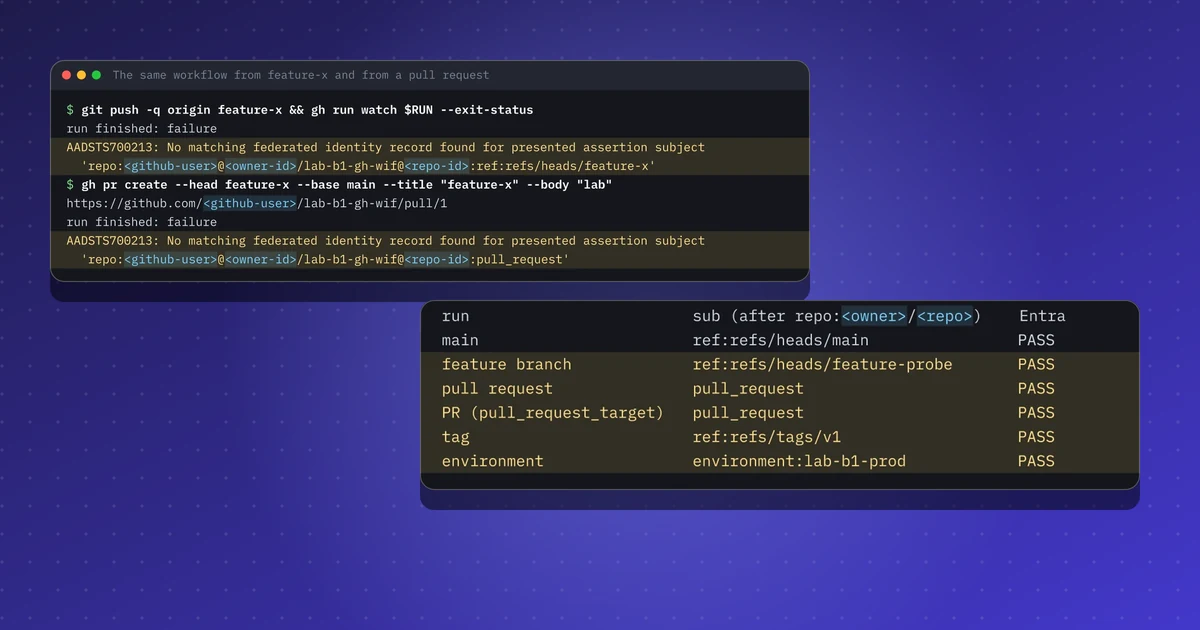
Lab: a GitHub workflow signs in to Azure with no secret. I print the sub of six kinds of run and show which credential lets each one in, pull requests too.
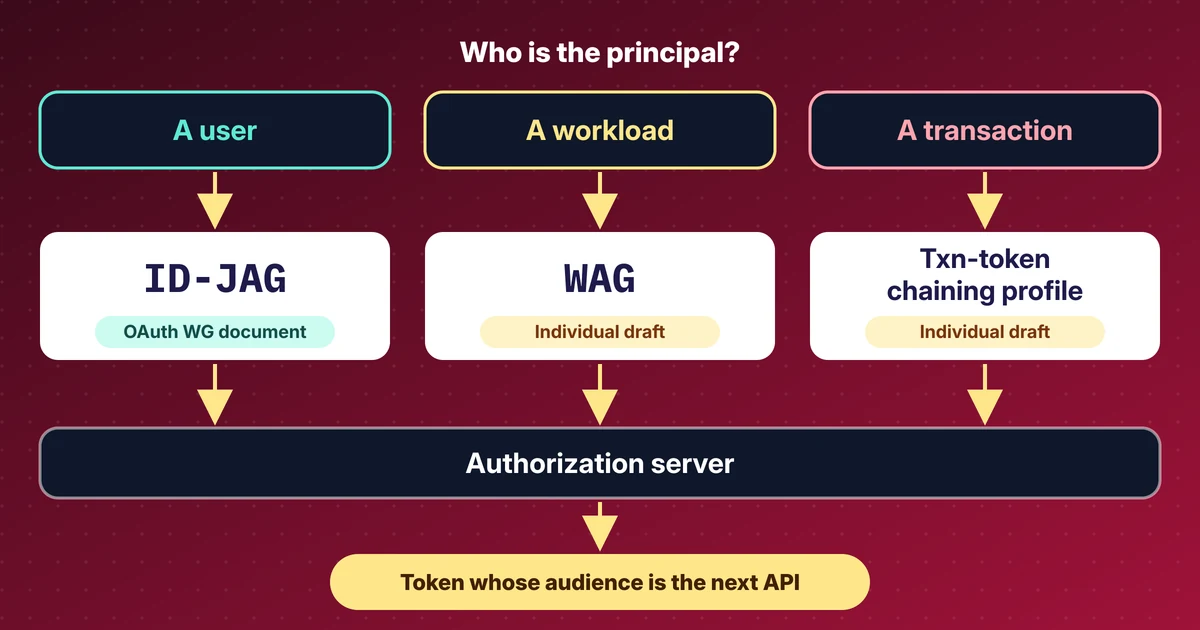
My reading of the IETF 127 OAuth and WIMSE sessions: ID-JAG, the Workload Authorization Grant, transaction tokens and actors, with draft revisions.
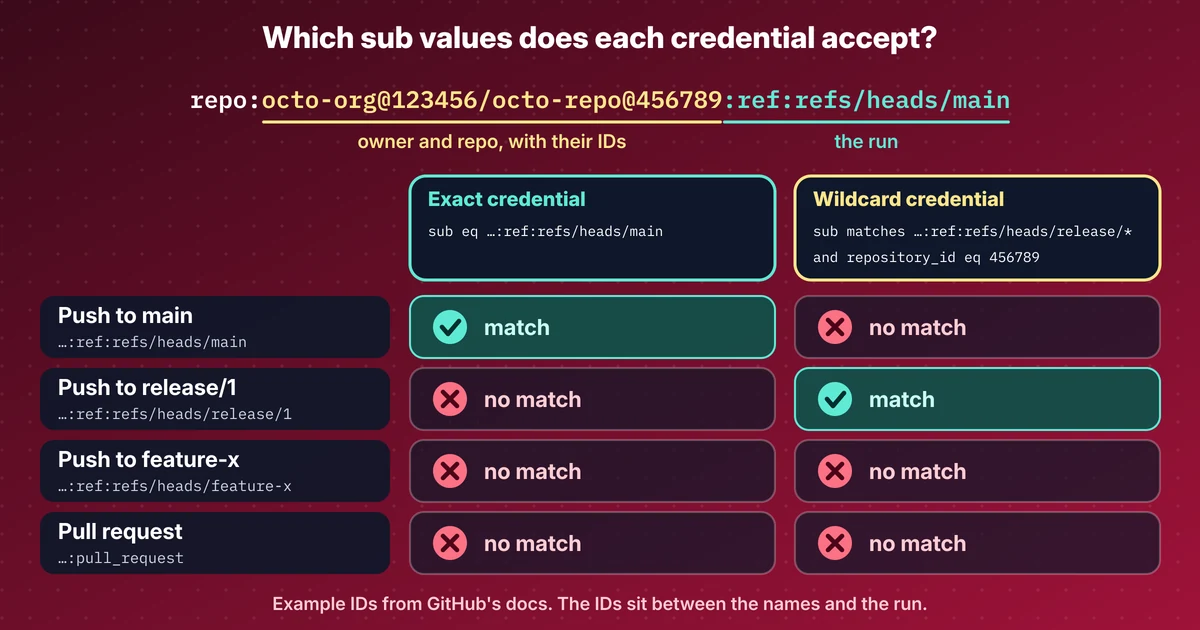
GitHub's default OIDC sub now carries owner and repo IDs, Entra wildcard credentials are still in preview, and WorkOS shipped agent auth. Sources and dates.