TL;DR
- Device code phishing tricks a person into approving a sign-in that an attacker started.
- In a controlled lab test, Microsoft showed that one approved code could let an attacker steer a GitHub Copilot CLI session and reach cloud session history and private repositories, depending on settings.
- Those results are proof of concept; Microsoft says it has not seen these outcomes in real attacks, though device code phishing itself is a recurring route to account takeover.
- Enter a device code only if you started the request yourself.
- Review the apps connected to your accounts and use the most restrictive remote-control and session-storage settings your AI tools allow.
Device code sign-in is the flow in which a device without a convenient keyboard shows a short code and the user enters it on a second device to authenticate. Smart TVs use it, and so do many command-line tools used by developers.
On 17 November 2026, Microsoft’s security researchers published an analysis of how the same flow can be used against AI coding assistants.
The attack pattern#
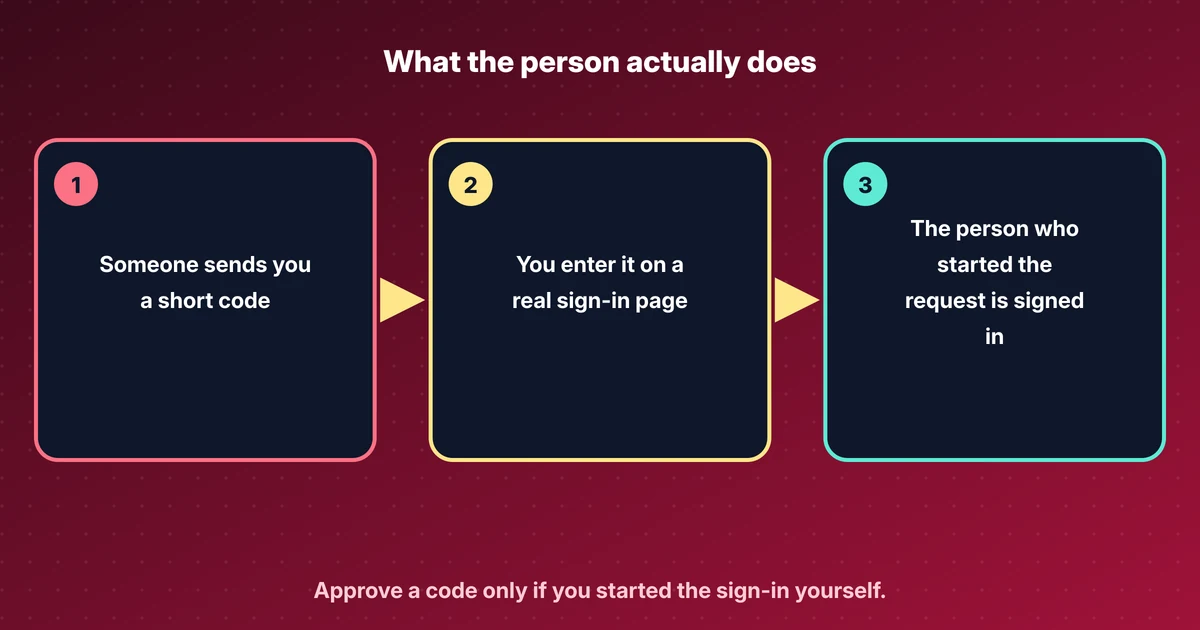
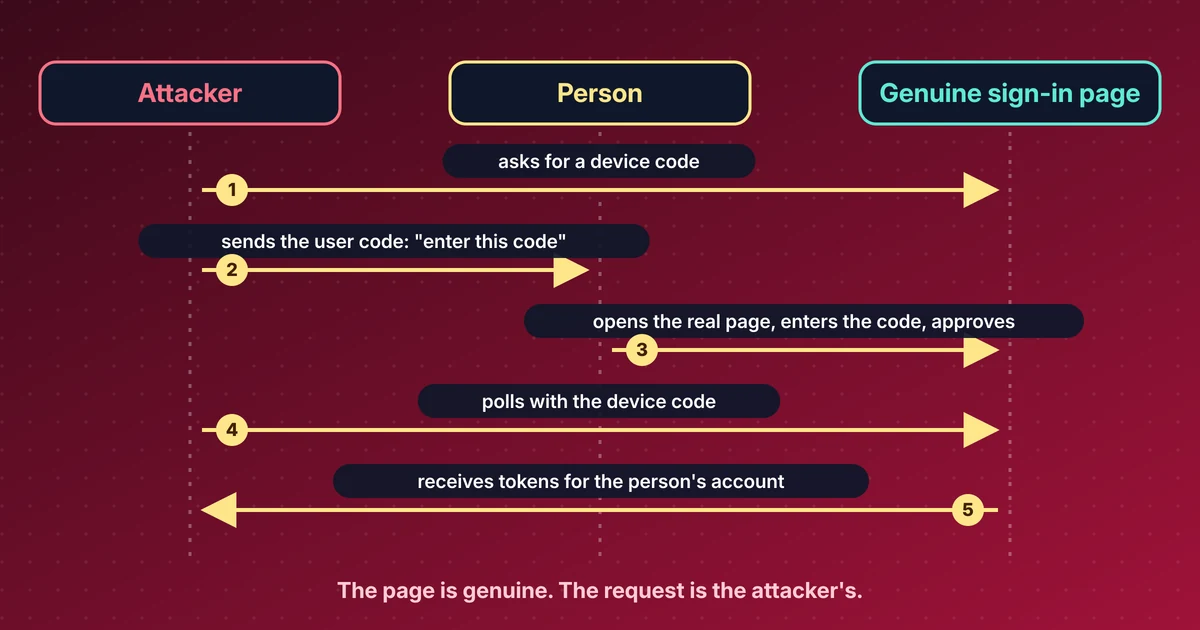
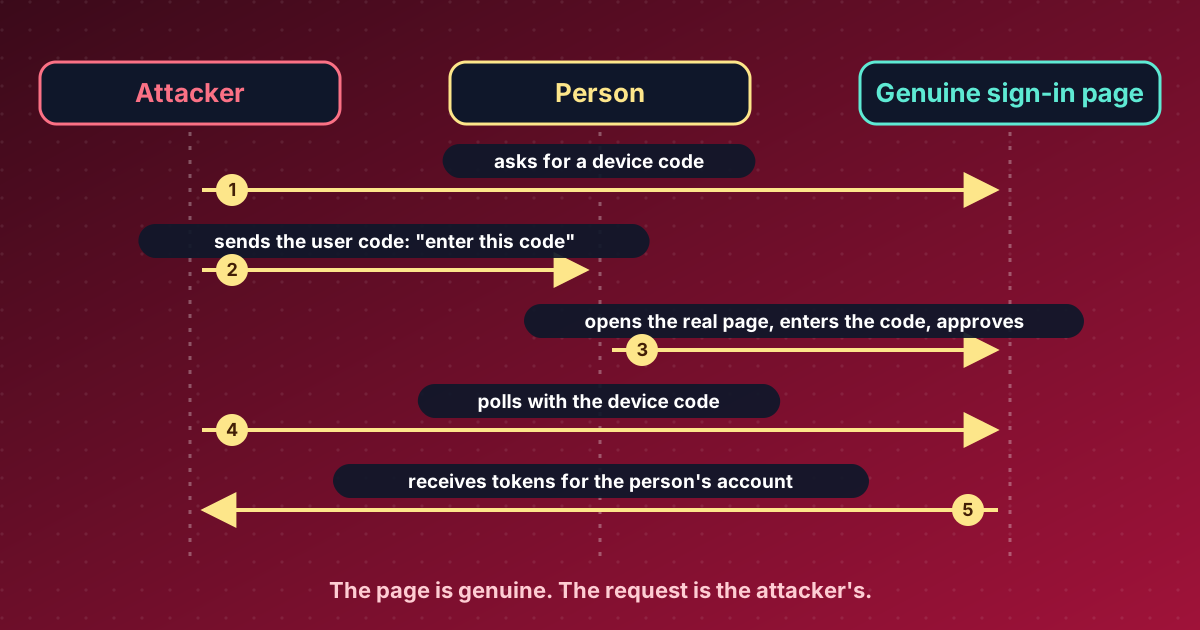
In device code phishing, the attacker starts the sign-in on their own machine, receives a code and sends it to the target. The message may look like an IT request or a licence check. The target opens the genuine sign-in page, enters the code and approves, which signs the attacker in.
The sign-in page is legitimate, which is why the technique works. In Microsoft’s words, the legitimate site alone does not tell the user who started the request.
What Microsoft demonstrated#
The team ran a controlled lab test with GitHub Copilot’s command-line tool as the example. With one approved code, they could, depending on the account’s settings:
- steer an active session of the assistant remotely and have it run commands on the person’s machine,
- add misleading entries to the assistant’s memory,
- read session history stored in the cloud,
- reach private code repositories visible to the account.
Microsoft states that these are proof-of-concept results and that it has not observed these four outcomes in real attacks. Device code phishing itself is a different matter. Microsoft says it has been a recurring route to account takeover and names earlier campaigns, including one called EvilTokens that it helped disrupt in September 2026.
Recommended mitigations#
- Enter a device code only if you requested it yourself, on a screen you started. A code that arrives in a message from someone else is a warning sign, even when the page is genuine.
- Review the applications connected to your accounts and remove ones you do not recognise. Microsoft’s guidance points to GitHub’s “authorized OAuth apps” settings as an example.
- Use the most restrictive settings your AI tools allow for remote control and cloud storage of sessions.
Microsoft’s broader point is that the more an AI assistant can reach, the more a single phished approval is worth.
Source: Microsoft Security Blog, 17 November 2026.
Sources#
Discuss this post#
Found it useful? Share it, and tell me what you think.
This post as Markdown · RSS · JSON feed
New posts by email
One email a week with new posts and labs. Unsubscribe anytime.
Your address is stored with Kit, which sends the emails. Details